
Displaying Images
Displaying Images
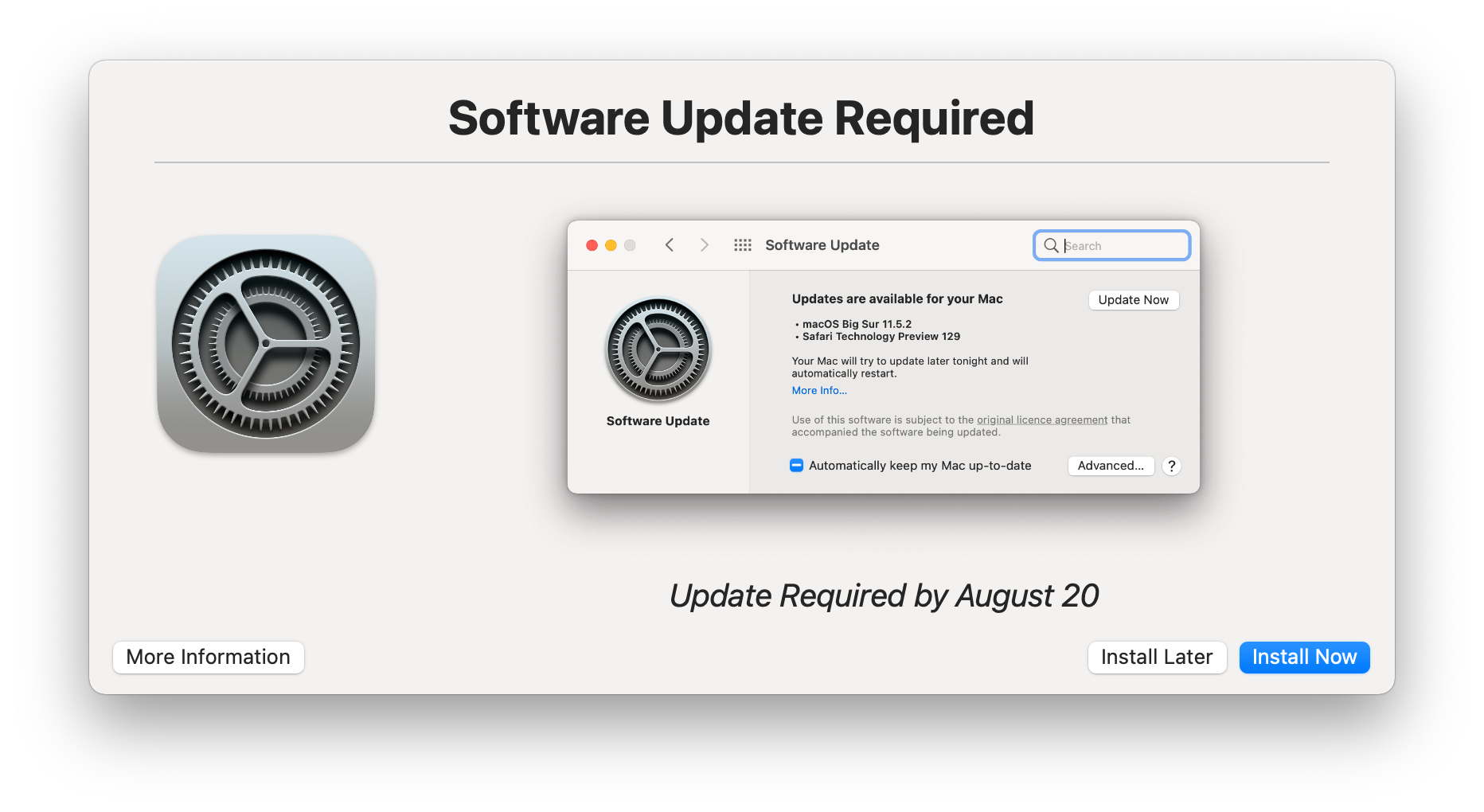
Section titled “Displaying Images”Images can be displayed and by default will replace the message area.
--imagecaption is available for a short one line description of each image. If a --message is also present then it will be displayed underneath any images and captions.
-g, --image  <file> | <url>  Display an image instead of a message.  Images will be resized to fit the available display area
    --imagecaption <text>    Text that will appear underneath the displayed image.
Any supported image format can be passed in either as a <file> or <url>
Example:
Images in base64 format
Section titled “Images in base64 format”Wherever an image can be used, they can now be specified in base64. using the base64= prefix
e.g. --icon base64=<base64_text>
Multiple Images
Section titled “Multiple Images”Specifying more than one --image will display the images in a carousel with next/previous chevrons and indication of which image in the sequence is being displayed.

In addition to displaying the images statically, you can use --autoplay <sec> to have the next image display after the specified number of seconds (default is 10). A progress indicator will show beneath the image display to indicate when the next transition will occur. After the last image is shown the display will reset and start from the first image.